

How to deal with paper jams related to the Drum Unit for FS - 2100D?
Dec 24, 2025
Hey there! As a supplier of the Drum Unit for FS - 2100D, I've seen my fair share of paper jams related to these drum units. It can be a real pain in the neck when your printer starts acting up, but don't worry, I'm here to help you deal with it like a pro.
First off, let's understand why paper jams happen in the first place. There are a few common reasons when it comes to the drum unit. One of the main culprits is dust and debris buildup on the drum surface. Over time, tiny particles can accumulate, causing the paper to stick or not feed properly. Another reason could be a misaligned drum unit. If it's not sitting right in the printer, the paper might not move through smoothly. And sometimes, using low - quality paper can also lead to jams. The wrong type of paper might be too thick, too thin, or have an uneven surface.
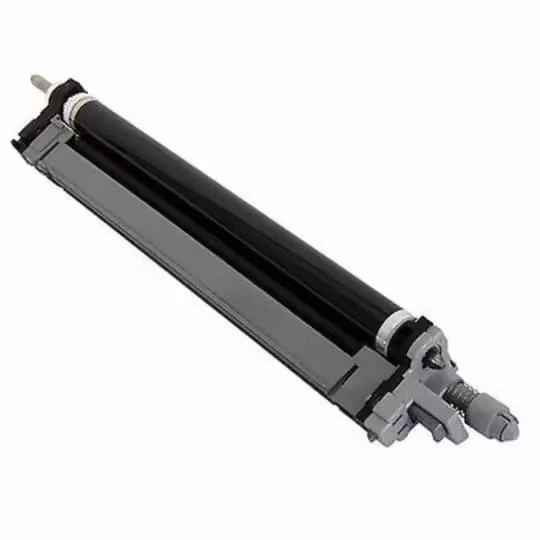
So, how do you fix these issues? Let's start with the dust and debris problem. You'll need to turn off the printer and unplug it for safety. Then, carefully open the printer cover to access the drum unit. Gently remove the drum unit from the printer. Now, take a clean, dry cloth and softly wipe the surface of the drum. Be super careful not to scratch it, as that can mess up the printing quality. If there's a lot of stubborn debris, you can use a can of compressed air to blow it away. Just hold the can upright and give short, quick bursts of air.
If you suspect the drum unit is misaligned, here's what you can do. After removing the drum unit as before, check if there are any visible signs of it being out of place. Look for any bent or damaged parts around the drum unit area in the printer. If everything looks okay, carefully re - insert the drum unit. Make sure it clicks into place properly. Sometimes, just a simple re - alignment can solve the paper jam problem.

When it comes to paper quality, always use high - quality paper that's recommended for your printer. Check the printer's manual for the right paper specifications. Using the right paper will reduce the chances of jams significantly.
Now, let's say you've tried all these steps, but the paper jams still keep happening. It might be time to replace the drum unit. A worn - out drum unit can cause all sorts of problems, including frequent paper jams. As a supplier, I can tell you that getting a new, high - quality drum unit is often the best solution in the long run.
We also offer a wide range of other drum units for different printer models. For example, we have the DK - 1150 Drum Unit for Kyocera ECOSYS M2040dn/M2135dn/M2235dn/M2540dw/M2635dw/M2640idw/P2040dw/P2235dw/P2335d/P2335dn/P2335dw. This drum unit is designed to work perfectly with these Kyocera printers, ensuring smooth printing and fewer paper jams. Another great option is the DK - 3170 Drum Unit for Kyocera ECOSYS P3045/M3145/M3645. It's built to last and provides excellent printing performance. And if you have a Kyocera TASKalfa 2550ci/2551ci or Copystar CS2550ci/CS2551ci, our DK - 8325 Drum Unit for Kyocera TASKalfa 2550ci/2551ci/Copystar CS2550ci/CS2551ci is the way to go.
If you're having trouble with paper jams related to the Drum Unit for FS - 2100D or any of our other drum units, don't hesitate to reach out. We're here to help you get your printer back in top - notch condition. Whether you need advice on fixing a paper jam or are thinking about replacing a drum unit, we've got you covered.
In conclusion, dealing with paper jams related to the Drum Unit for FS - 2100D isn't as hard as it seems. By following these simple steps, you can keep your printer running smoothly. And if you ever need a new drum unit, we're just a message away. So, don't let paper jams ruin your day. Take control and get your printing back on track!
If you're interested in purchasing a new drum unit or have any questions about our products, feel free to contact us for a friendly chat and start a procurement discussion.
References:
- Printer user manuals for FS - 2100D and related Kyocera models
- Industry knowledge and experience as a drum unit supplier