

How To Fix Color Casts in Color Copiers
Sep 29, 2026
Color casts, impure colors, and color banding in color copier prints are common issues encountered during repairs of models such as Kyocera, Konica Minolta, and Ricoh. Many technicians find that the problem persists even after replacing the toner cartridge; the root cause lies in overlooking the compatibility between the transfer belt unit, the developer unit, and the toner cartridge. Color imaging relies on the coordinated interaction of the transfer, development, and toner supply processes. If the parameters of these components are incompatible, color distortion will occur even if each individual component meets quality standards.

Color Copier Imaging: The Core Roles of the Transfer Belt Unit and Developer Unit
The Developer Unit is responsible for carrying the toner dispensed by the toner cartridge and forming a color toner image on the surface of the drum assembly according to the image signal; The Transfer Belt Unit acts as an intermediate carrier, sequentially transferring cyan, magenta, yellow, and black toner onto the paper. The wear levels and electrical charge parameters of both components must be properly matched; if either component deteriorates, the transfer ratio of the four toner colors becomes imbalanced, directly causing color deviation.

Color Deviation, Impure Colors, and Color Banding: Quickly Identifying Component Issues
If the entire print is shifted toward a particular color, it is most likely due to aging of the Developer Unit's carrier, resulting in abnormal toner charging; color banding along image edges or misaligned color registration is typically caused by scratches on the surface of the Transfer Belt Unit or coating degradation; if localized color patches appear grayish or impure, both the quality of the toner in the Toner Cartridge and the uniformity of toner supply from the developer unit must be checked simultaneously. When troubleshooting color copier issues, do not replace a single consumable in isolation; prioritize verifying the compatibility of these three components.

Key Points for Selecting Parts to Avoid Color Imaging Compatibility Conflicts
When replacing parts for a color copier, prioritize matching sets with identical specifications. The carrier resistance of the Developer Unit and the surface resistance of the Transfer Belt Unit must be compatible with the charging characteristics of the Toner Cartridge. Parts from different brands or model generations must not be mixed, as this can easily cause intermittent color shifts, leading to repeated repairs and increased costs for the customer.
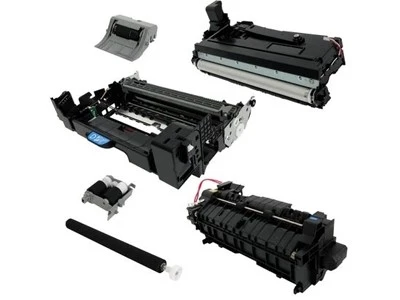
Ensuring a Stable Supply of Compatible Parts to Reduce Repair Re-work Rates
Dongguan Aige Technology specializes in the field of compatible copier parts, offering complete sets of Transfer Belt Units, Developer Units, and Toner Cartridges compatible with multiple brands of color copiers. Color-matching tests are conducted before shipment to ensure stable four-color imaging and reduce the time repair engineers spend repeatedly adjusting color settings. Products are supplied to overseas repair service providers and office equipment dealers, with support for bulk purchases.
In summary, the root cause of color deviation issues in color copiers is not simply a matter of toner quality, but rather the compatibility among the Transfer Belt Unit, Developer Unit, and Toner Cartridge. During troubleshooting, priority should be given to inspecting the condition of the development and transfer components; selecting a complete set of compatible parts can effectively resolve issues such as impure colors and banding. Dealers and repair teams with procurement needs may contact Dongguan Aige Technology to obtain a list of compatible models.
You Might Also Like
-

DK-8315 Drum Unit for Kyocera TASKalfa 2550ci/2551ci/Copy...
-

TK-5195/TK-5197 Toner Cartridge for Kyocera TASKalfa 306c...
-

TK-6325/TK-6326/TK-6327/TK-6329 Toner Cartridge For Kyoce...
-

TK-6357 (TK6357) Black Toner Cartridge Compatible For Kyo...
-

B1166/B1167/B1168/B1169 Toner Cartridge For Olivetti D-Co...
-

B1194/B1195/B1196/B1197 Toner Cartridge For Olivetti D-Co...